 kh@livingwithlogic.sg
How to get a free API key for Iris Home
 Sep 7, 2026

What I want: to tell Iris Home what to do in plain words, for free.
That takes an AI model, and Groq runs one for free. To let Iris Home use it you need an API key, which is a long password Groq hands you. Get the key, paste it into the app. About three minutes.
Step by step
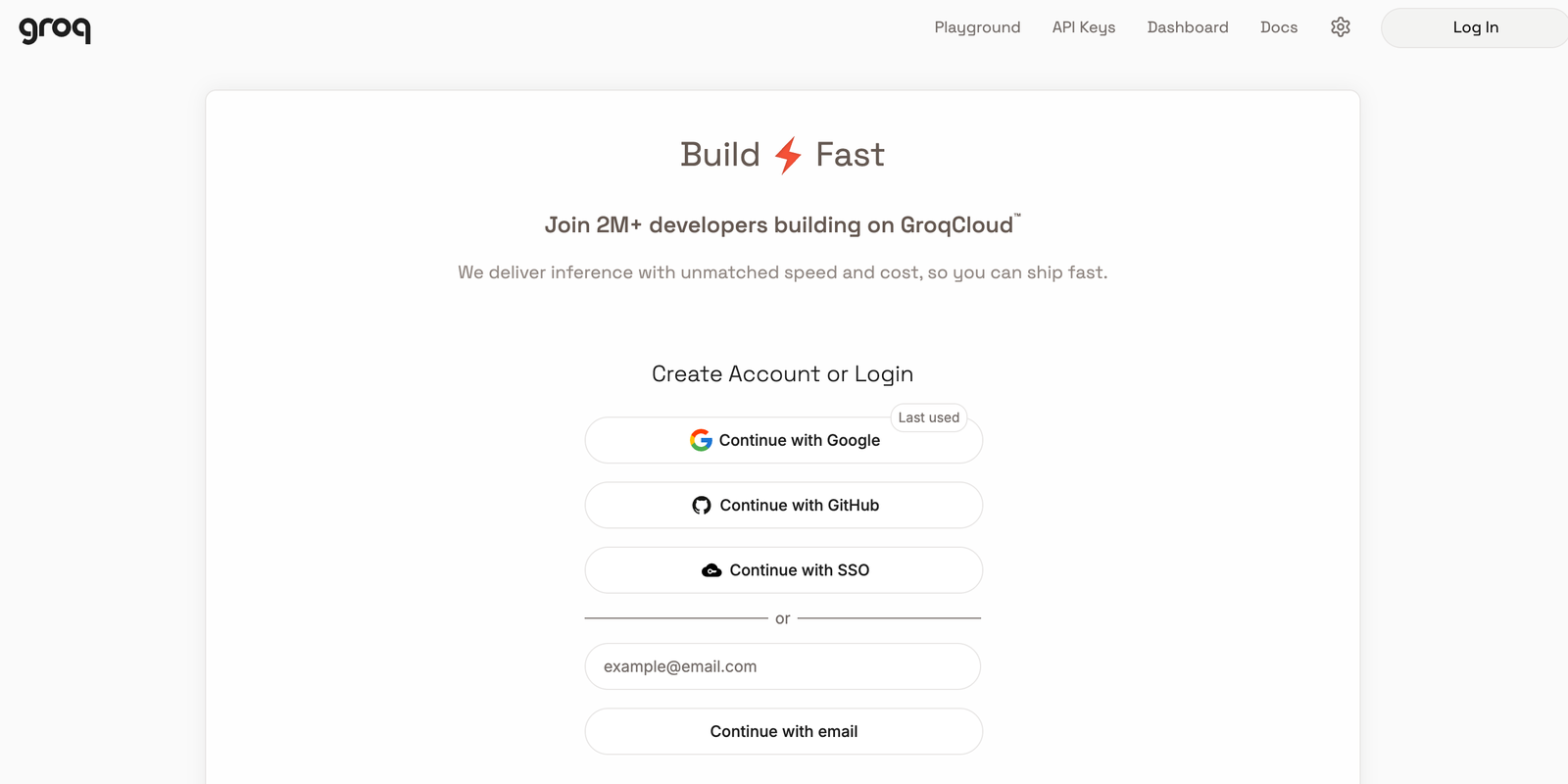
1Sign in to Groq
Go to console.groq.com/home and sign in. I used Google.
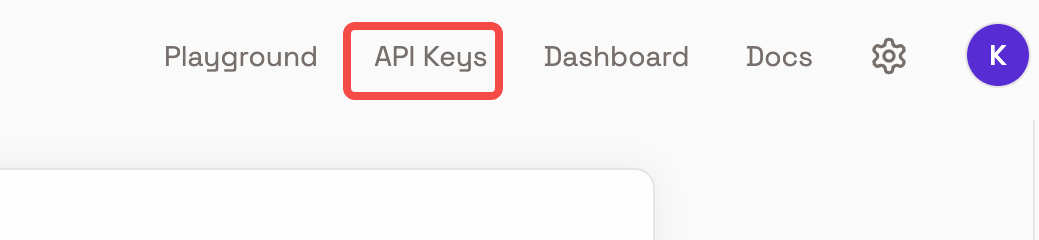
2Open API Keys
Top menu, next to Playground.
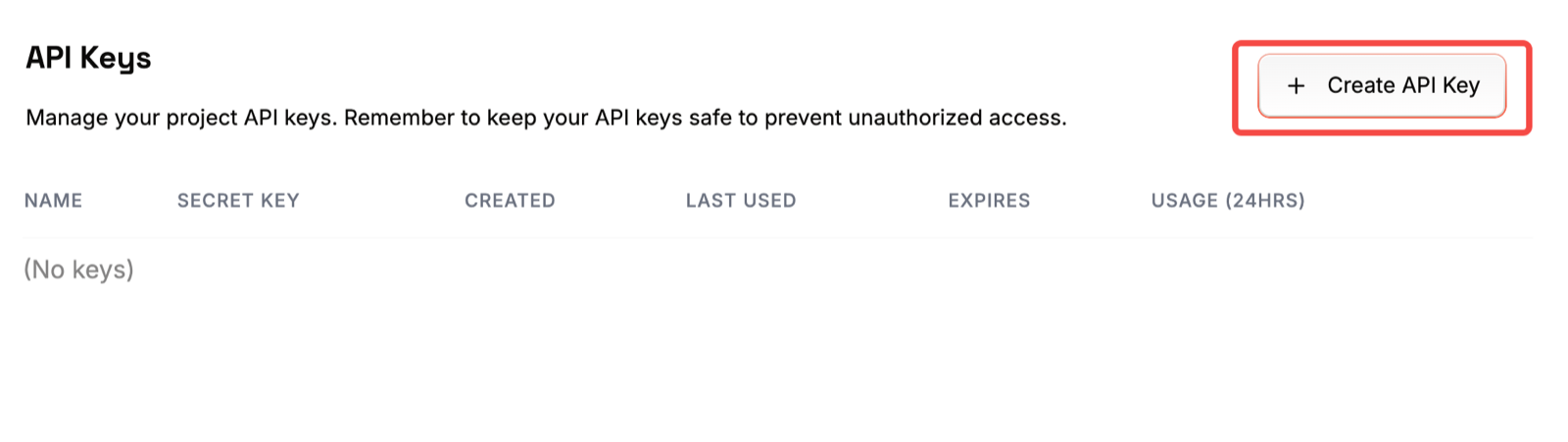
3Click Create API Key
Top right.
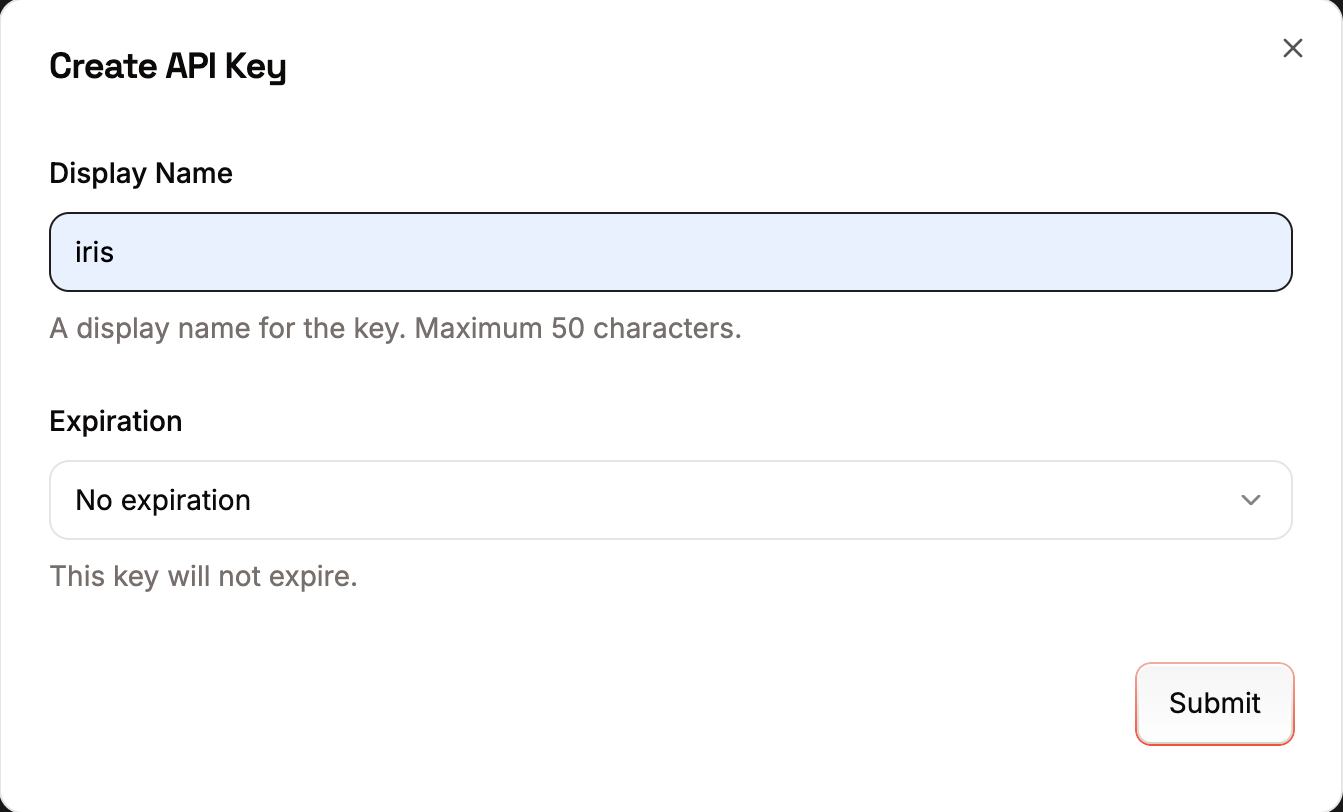
4Name it
I typed iris. Leave Expiration on No expiration. Click Submit.
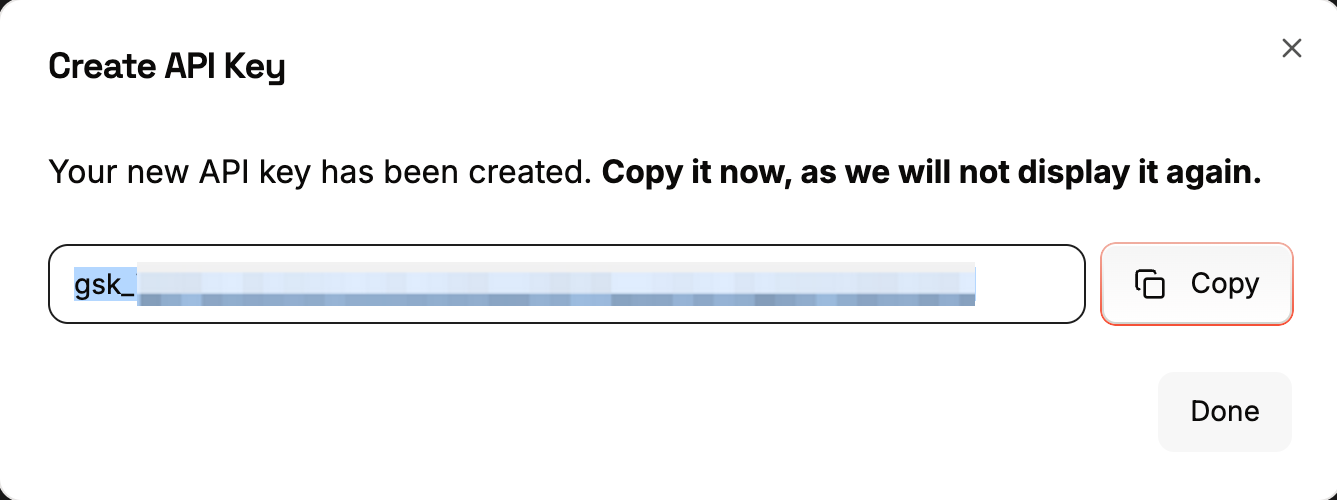
5Copy the key
Click Copy. The key starts with gsk_. Groq shows it once.
Doing this on a computer? Message the key to yourself, then copy it on your phone.
6Paste it into Iris Home
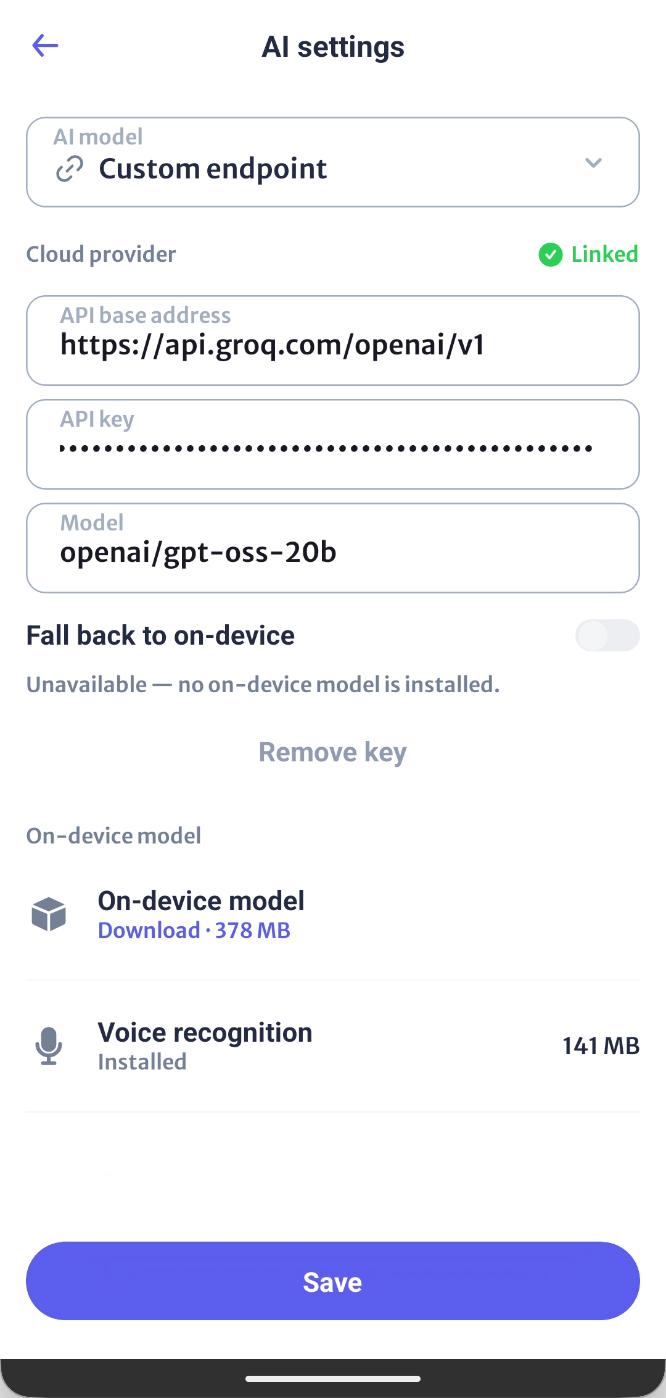
Tap Settings at the bottom, then AI settings. Set AI model to Custom endpoint and fill in the three boxes. Leave everything else alone.
- API base address:
https://api.groq.com/openai/v1 - API key: paste the one you copied
- Model:
openai/gpt-oss-20b
7Save
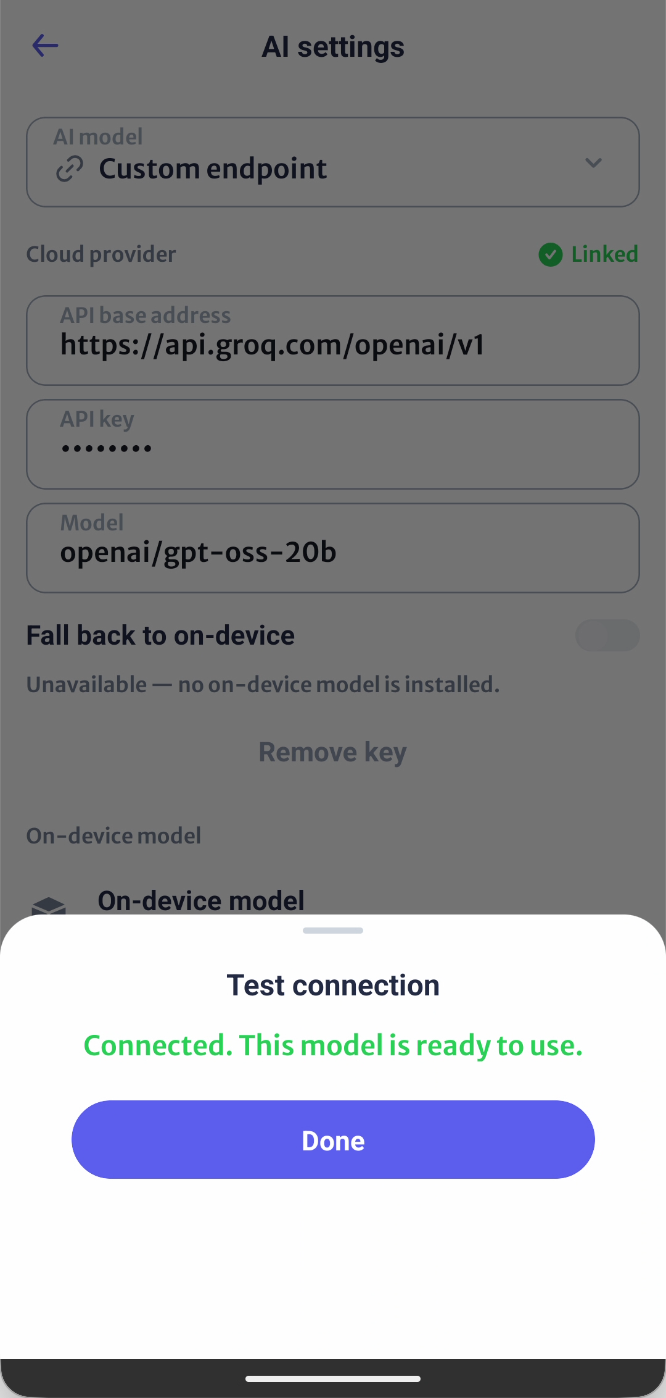
Tap Save. First time? Iris Home asks Use your own AI key? Tap I understand and want to use this.
It then checks the key with Groq. When it says Connected, tap Done.
Not connected? The message says what to fix. Fix it and Save again.
What free gets you
Groq’s free plan, for the model above:
- 1,000 requests a day, 30 a minute
- 200,000 tokens a day, 8,000 a minute
Each thing you ask Iris Home is one request, sometimes two, and somewhere between 500 and 1,000 tokens. So tokens run out first: two to four hundred commands a day, around ten a minute. Go over and Iris Home stops answering until the minute, or the day, rolls over. There’s no bill. The free plan just stops.
Those are the numbers in September 2026. Groq’s rate limits page has the current ones.
One thing worth knowing
The key is a password. Anyone holding it can use up your free allowance. Don’t paste it in a group chat. If it does get out, delete it under API Keys and make another.
Stuck on a step? Tell me about it.